ENGW-133 — [Admin] Statement download reconfiguration with the Reports API
Tested 20 Aug 2026, retested 24 Aug, 15 Sep, and 29 Sep 2026, against admin-sandbox.mypasspoint.com/settlement.
CURRENT STATUS — 29 Sep 2026: retested per Josh Anaba's "can we retest this now?" (ENGW-179, comment 24839). The 15 Sep crash bug (typing an out-of-range date crashed the app) is fixed — typing past the 100-day limit now shows an inline error and does not crash, and submitting an invalid form is blocked before any request fires. See the cards below. Everything below that (15 Sep, 24 Aug, 20 Aug) is prior-state history, kept for context.
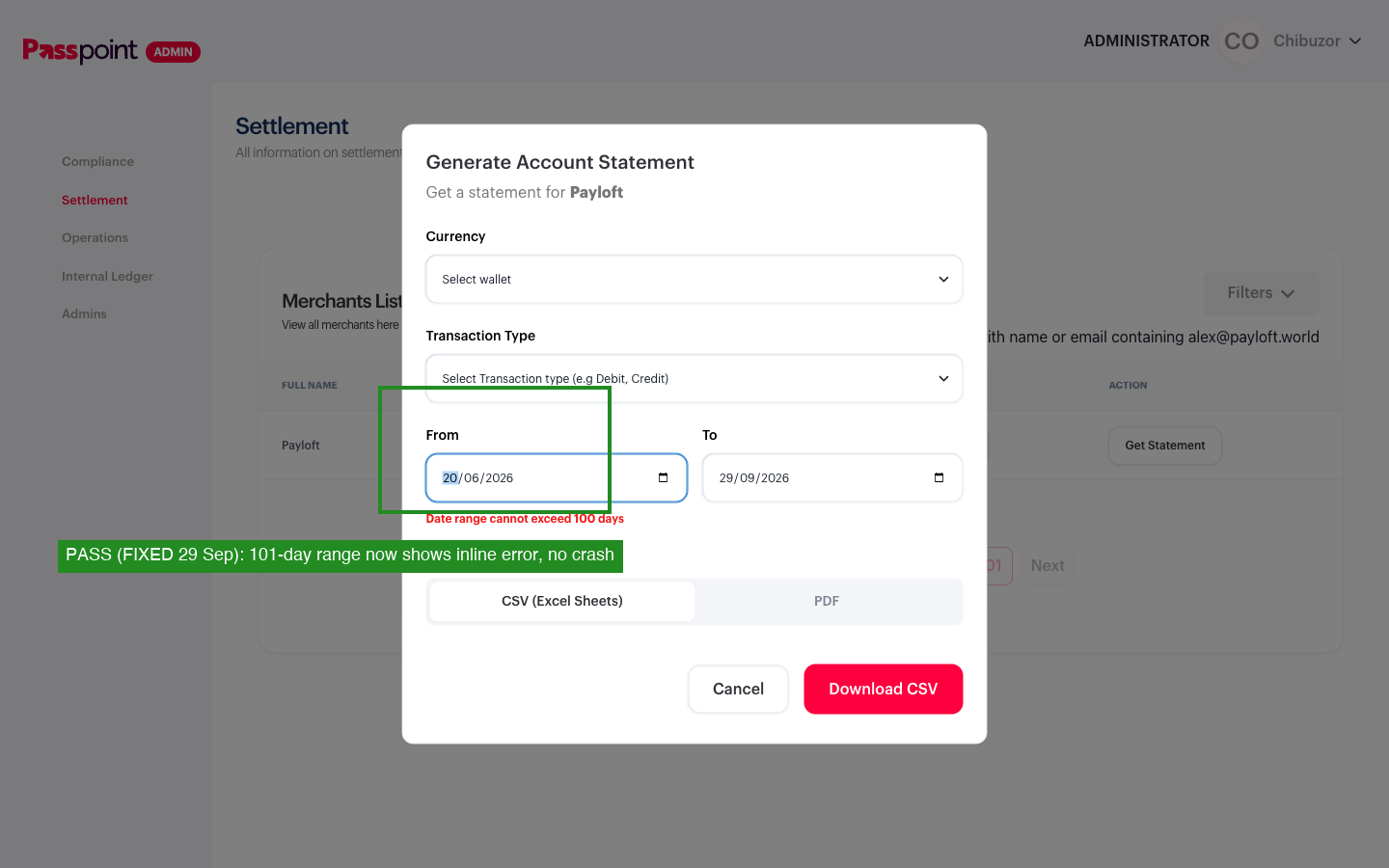
29 Sep 2026 retest — typed oversized range now shows inline error, no crash PASS (FIXED)
Retested the exact 15 Sep crash (typing a date that pushes the range past 100 days). Typing now produces the inline error "Date range cannot exceed 100 days" below the From field instead of crashing — matching Josh's 17 Sep comment describing the intended fix ("make date change flexible, show error below input if > 100 days limit"). Confirmed at the exact boundary (100 days: no error; 101 days: error, no crash) and reconfirmed across 3 fresh sessions (3/3 error, 0/3 crash) — the same rigor that showed the original crash was 100% deterministic (10/10) before the fix. Correcting the range back to a valid one clears the error.
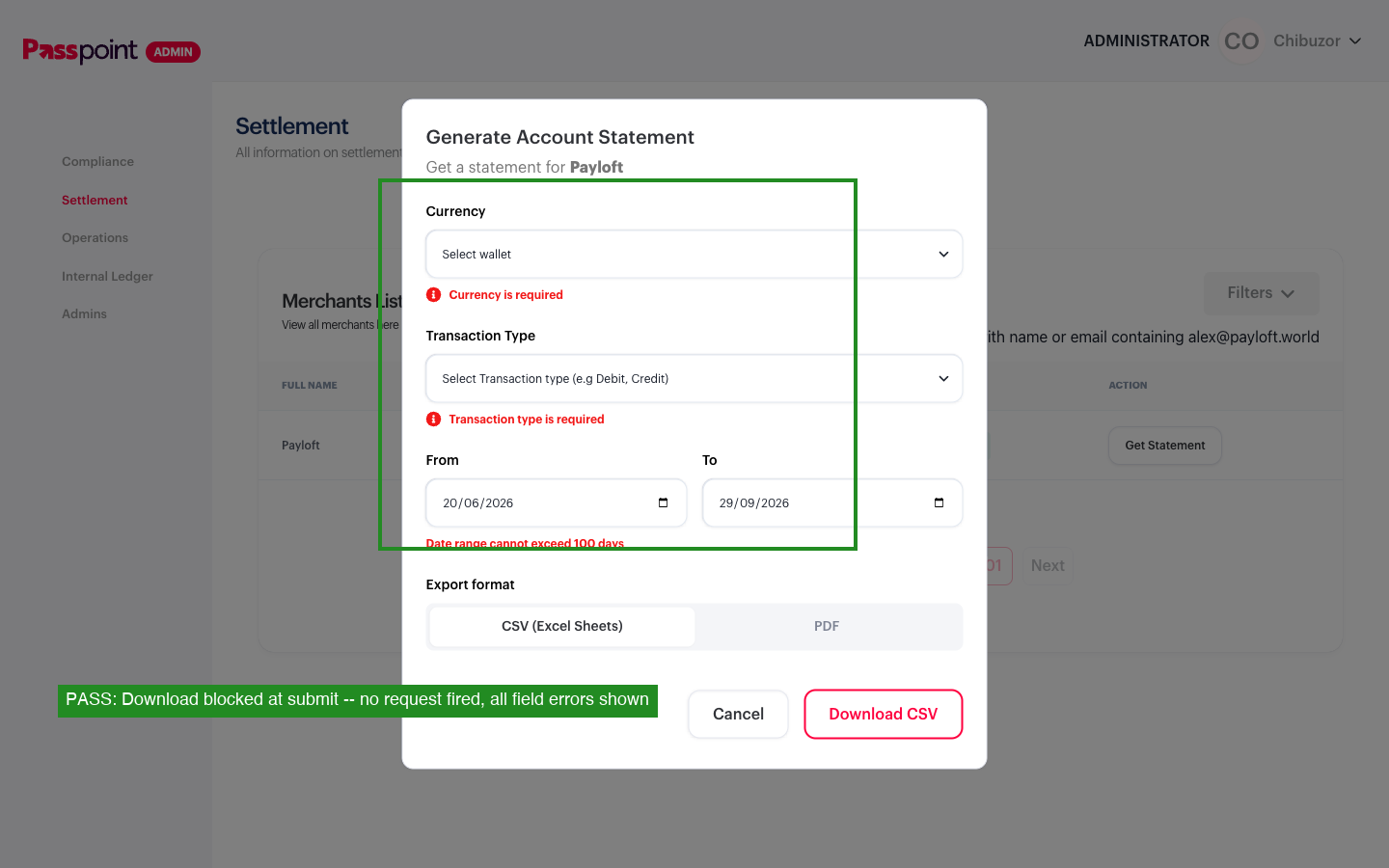
29 Sep 2026 retest — invalid submit blocked, no request fired PASS
The Download CSV button itself is not disabled while the date-range error is showing (ENGW-192's merchant-app fix disables its button; this admin fix doesn't). But clicking Download with an invalid range fires no request to the statement/report endpoints — the submit handler blocks it and surfaces every pending field error at once (Currency required, Transaction type required, date-range error). Net effect matches ENGW-192's "check in the submit handler, not just the button" pattern; only the visual signal (border vs. disabled state) differs.
One unrelated observation, not a filed bug: the startDate input's min HTML attribute is now empty ("") where it previously held a real constraint (min=2026-06-07). Not yet checked against the calendar-picker-blocks-early-dates behavior below — worth a quick follow-up if the picker's own range limiting turns out to depend on min.
History — 15 Sep 2026 retest (crash bug, now fixed above)
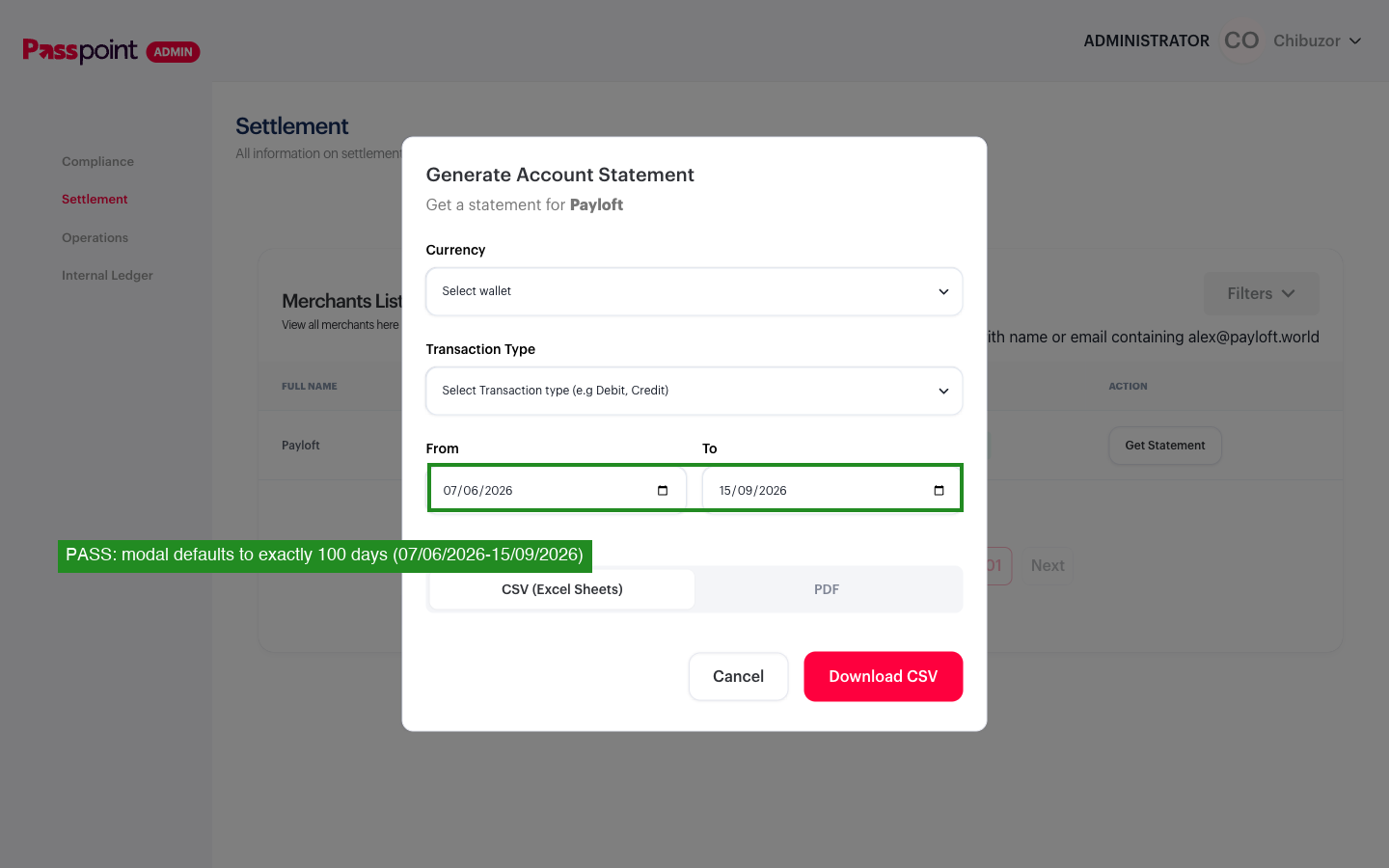
15 Sep 2026 retest — 100-day default confirmed PASS
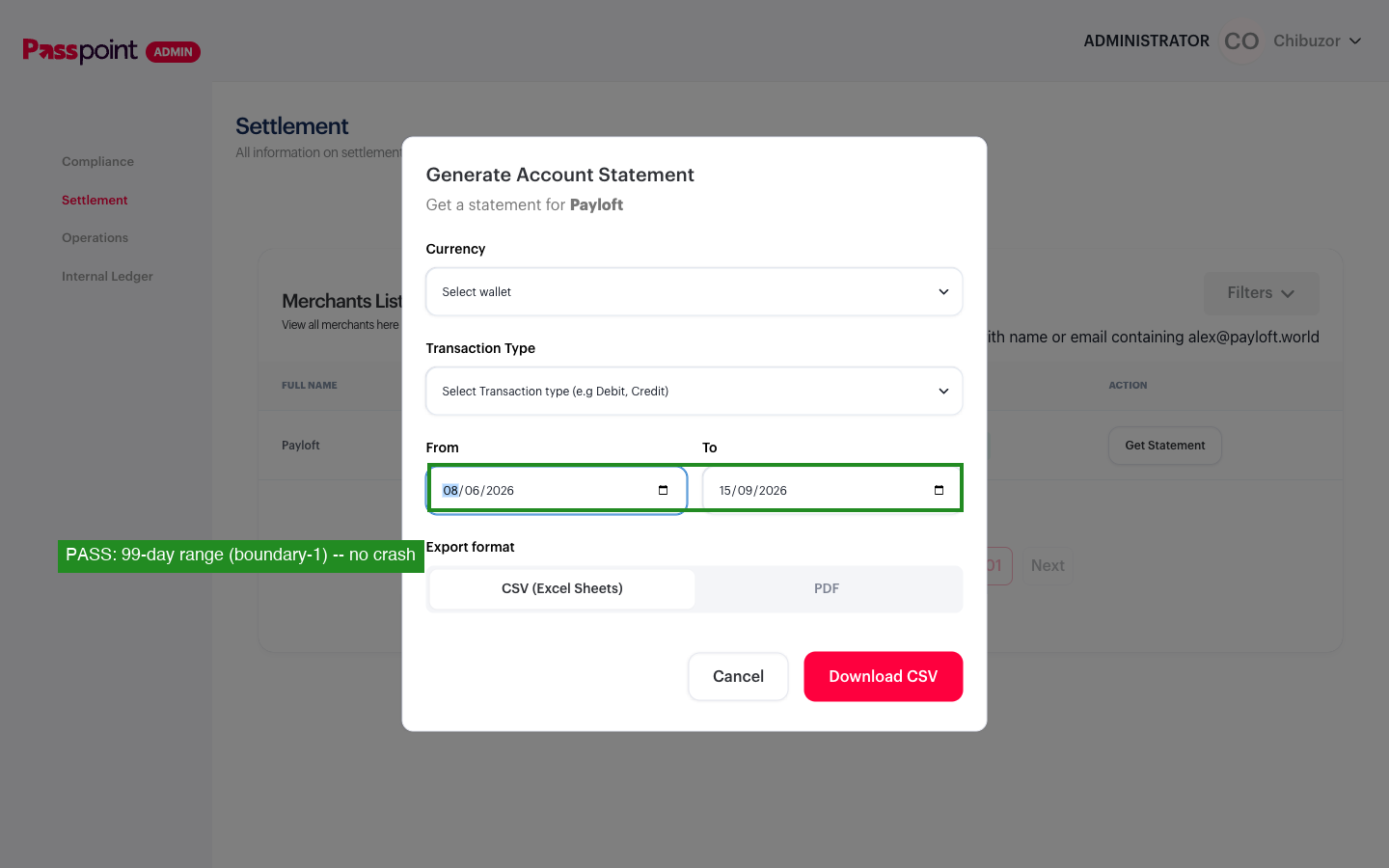
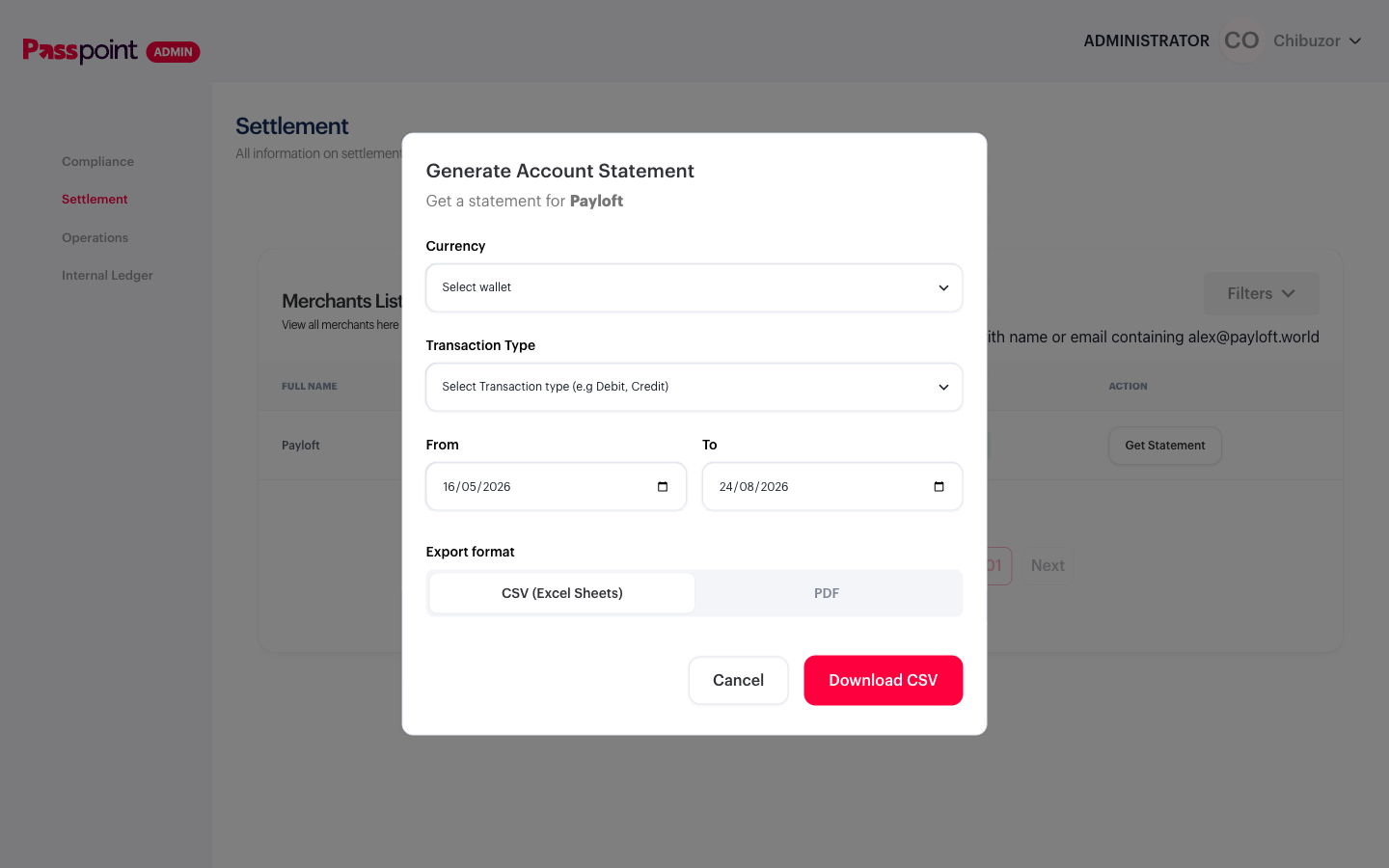
Modal now defaults to exactly 100 days (07/06/2026–15/09/2026 at test time), matching Josh Anaba's comment. The everyday case is fully closed — nobody hits the old default-range 400 anymore.
15 Sep 2026 retest — calendar picker correctly blocks oversized ranges PASS
The date field has real min/max HTML attributes (min=2026-06-07, max=2026-09-15 at test time). Clicking a day before the 100-day-back minimum in the calendar picker is correctly grayed out and unclickable — field value stays unchanged, no crash. A user who only ever picks dates from the calendar will never hit the bug below.
15 Sep 2026 retest — typing an oversized range crashes the app FAIL (NEW)
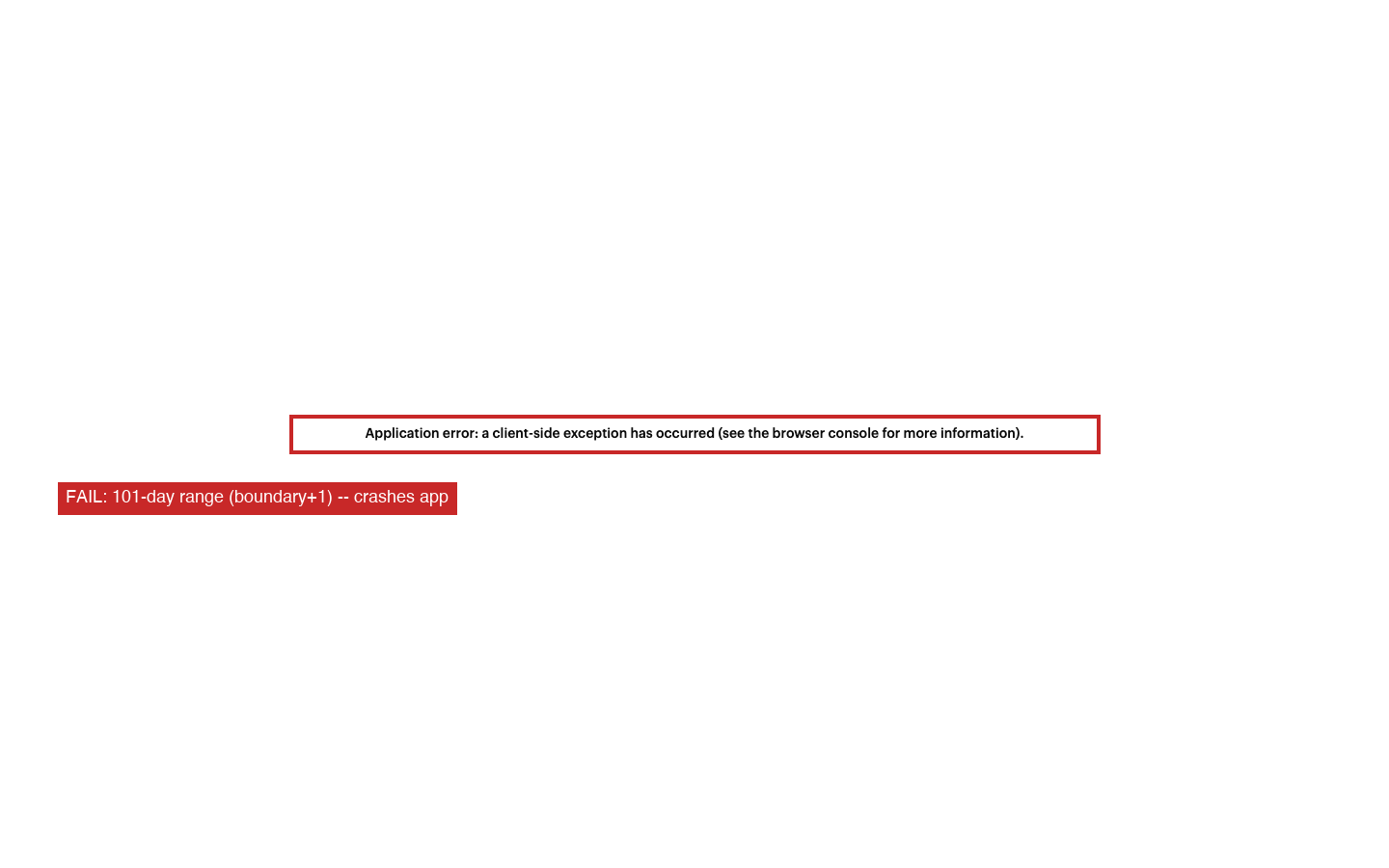
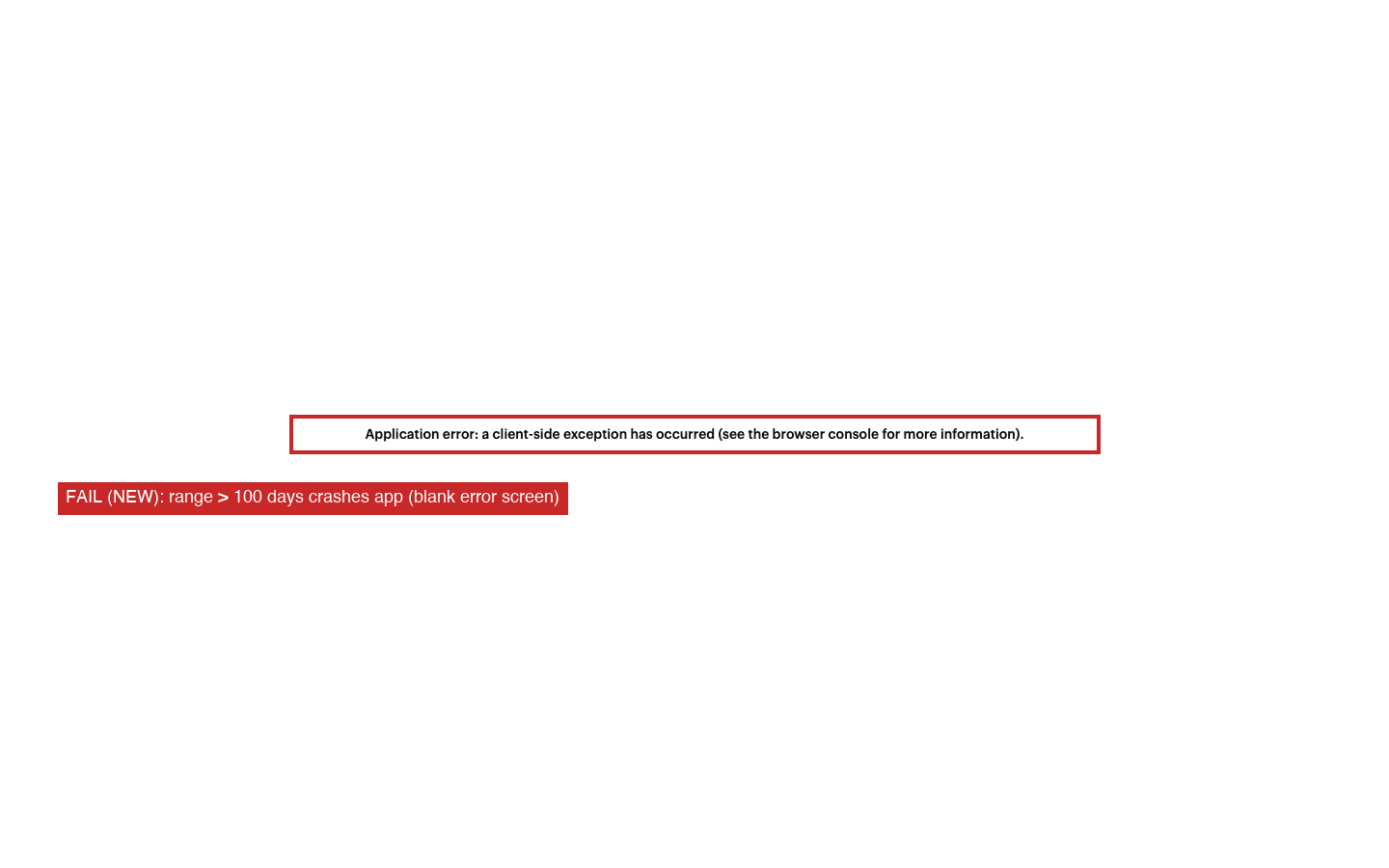
The calendar picker enforces the 100-day limit correctly, but the field also accepts typed digits overwriting the prefilled date — normal HTML5 date-input behavior, and the only way to widen the range at all since the picker won't offer out-of-range days. Typing a date that pushes the range past 100 days crashes the entire app to a blank Next.js error screen ("Application error: a client-side exception has occurred"). Confirmed with real keyboard typing (not just Playwright's programmatic fill), then isolated the exact boundary and repeated 10x in fresh sessions each time: 100-day range → 0/5 crashed, 101-day range → 5/5 crashed. Deterministic, not flaky.
Console: a moment.js non-ISO-date warning immediately followed by ContextError: useFormControlStyles returned is 'undefined'. Seems you forgot to wrap the components in <FormControl />.
This is Josh's claimed fix, working as designed at the boundary but implemented wrong: the app is meant to block the request and show a message, and instead it crashes outright — but only on the typed-entry path. Regression on the previous state for that path specifically: the old gap (silent 400, modal stayed usable) is less severe than an app crash that takes down the whole settlement page.
History — 20 Aug 2026 initial test
Initial testing against 3 seed/demo merchants (no real transaction history) failed on every currency tried, which looked like a fully broken backend. Retested against Payloft (alex@payloft.world), a merchant with real wallet activity — the happy path passes cleanly end to end. See Bug 2 for the real, narrower gap this surfaced.
Progress UI (modal + persistent toast) PASS
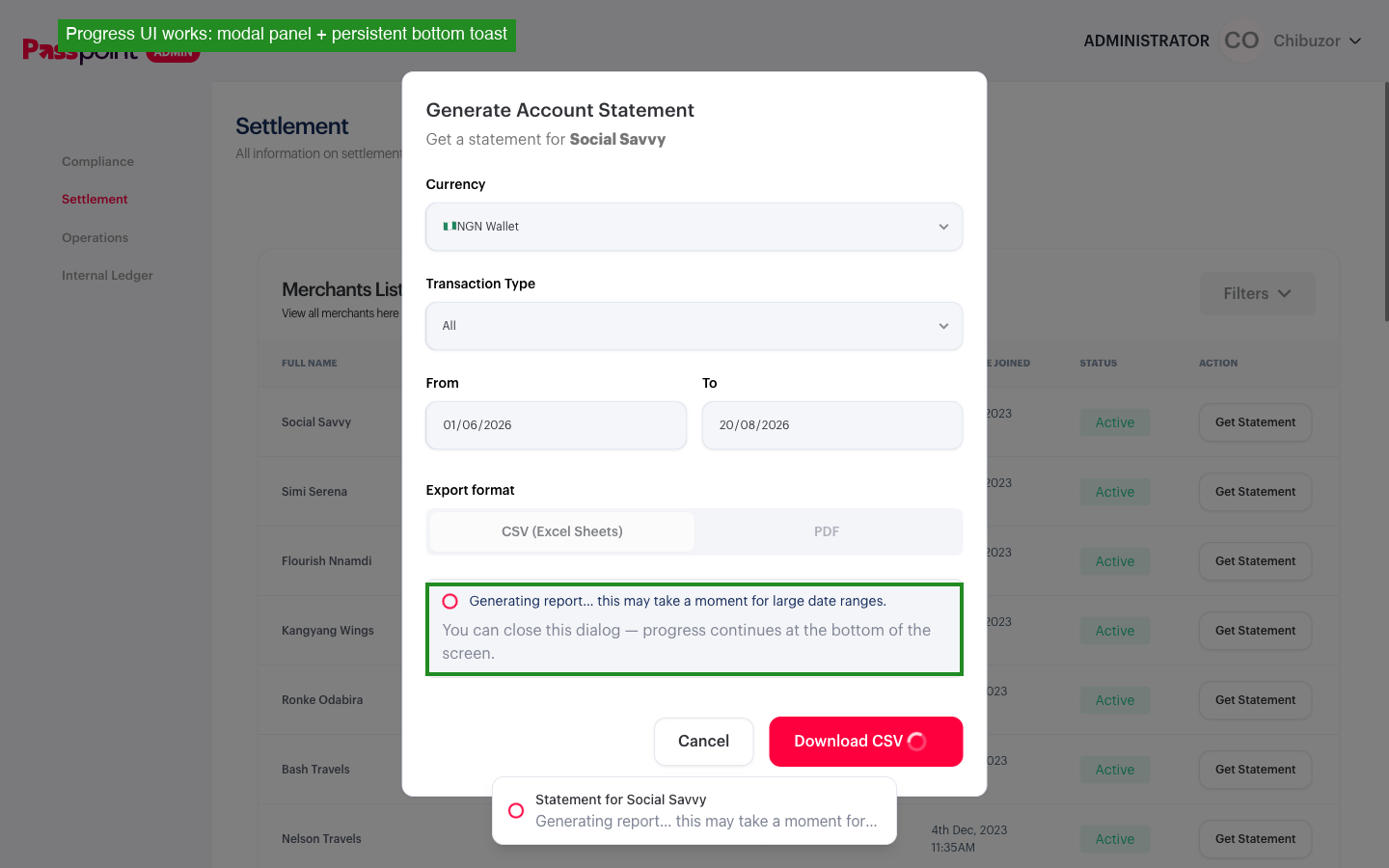
Clicking Download CSV/PDF shows "Generating report... this may take a moment for large date ranges" inside the modal, plus a persistent toast at the bottom of the screen. Closing the modal (Cancel) leaves the toast running — confirms the spec's "closing the modal should not cancel the job" requirement.
CSV download + content (Payloft) PASS
NGN, 01 Jun–20 Aug 2026: job resolves in ~4s (SEND_SKIPPED, ready:true, totalRecords:11), file downloads automatically. Correct columns (Account Name, Transaction Id, Payment Ref, Currency, Opening/Running Balance, Narration, Transaction Date/Type/Mode), all 11 rows present with a consistent running balance.
PDF download + content (Payloft) PASS
Same merchant/range downloads a proper Passpoint-branded 1-page PDF: Merchant, Period, Currency, Generated date, Total records header, then a clean transaction table matching the CSV data.
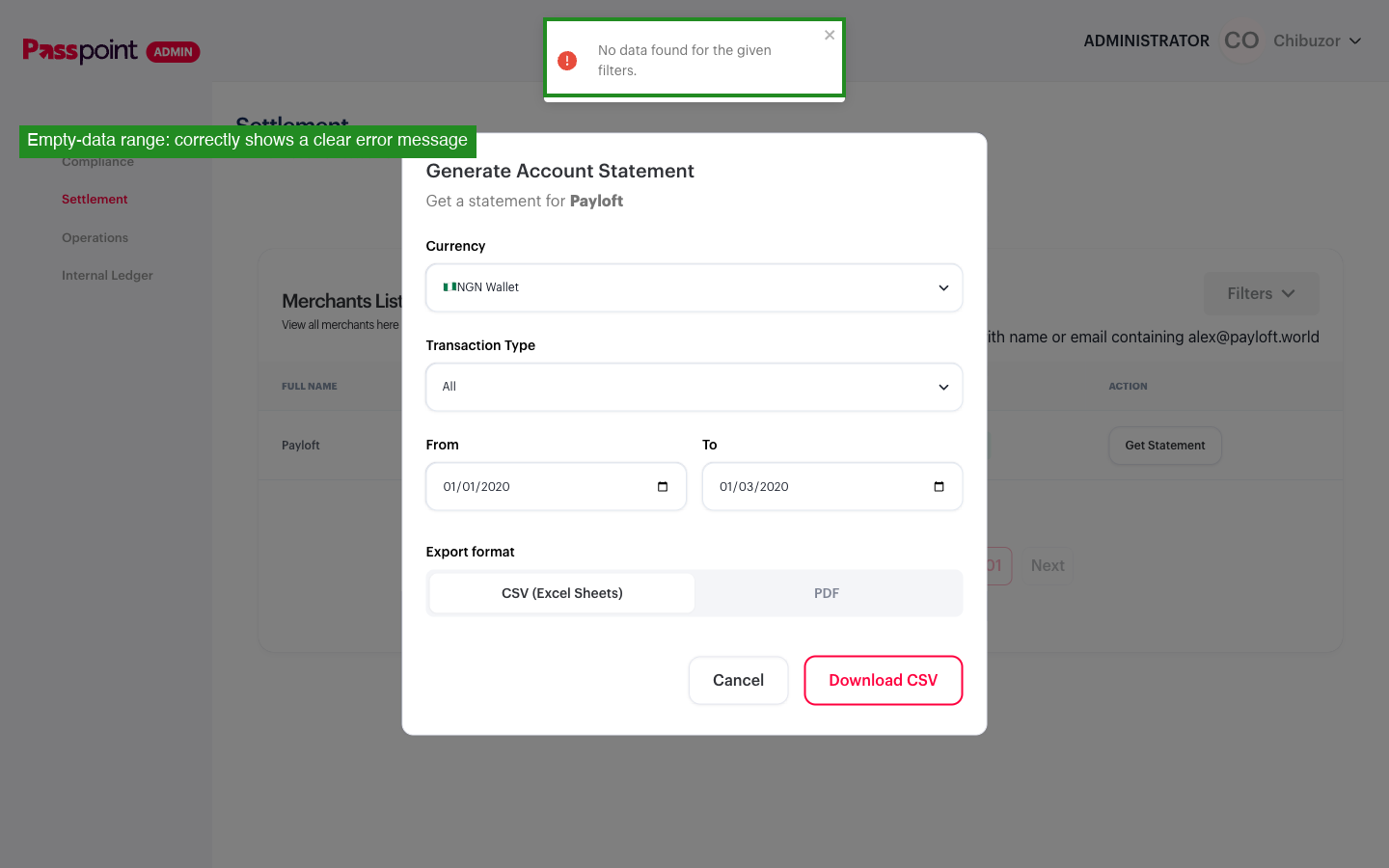
Empty-data-range messaging PASS
A date range before the merchant existed (2020) resolves to SENT, ready:true, totalRecords:0 and the UI clearly shows "No data found for the given filters." — recoverable, matches the ticket's expected result exactly.
Wallet/currency dropdown PASS
Loads correctly with 15 wallet options (NGN, USD, GHS, KES, UGX, ZMW, GBP, EUR, 6 XOF country variants, TZS).
Bug 1: default date range silently fails validation FAIL (as originally found)
The modal's own default date range (last 365 days) exceeds an undocumented backend limit. POST /api/reports returns 400: "Date range cannot exceed 100 days". The modal shows no error at all — the Download button simply reverts to normal after a few seconds. A user who doesn't change the prefilled dates hits this silently on their very first attempt, every time.
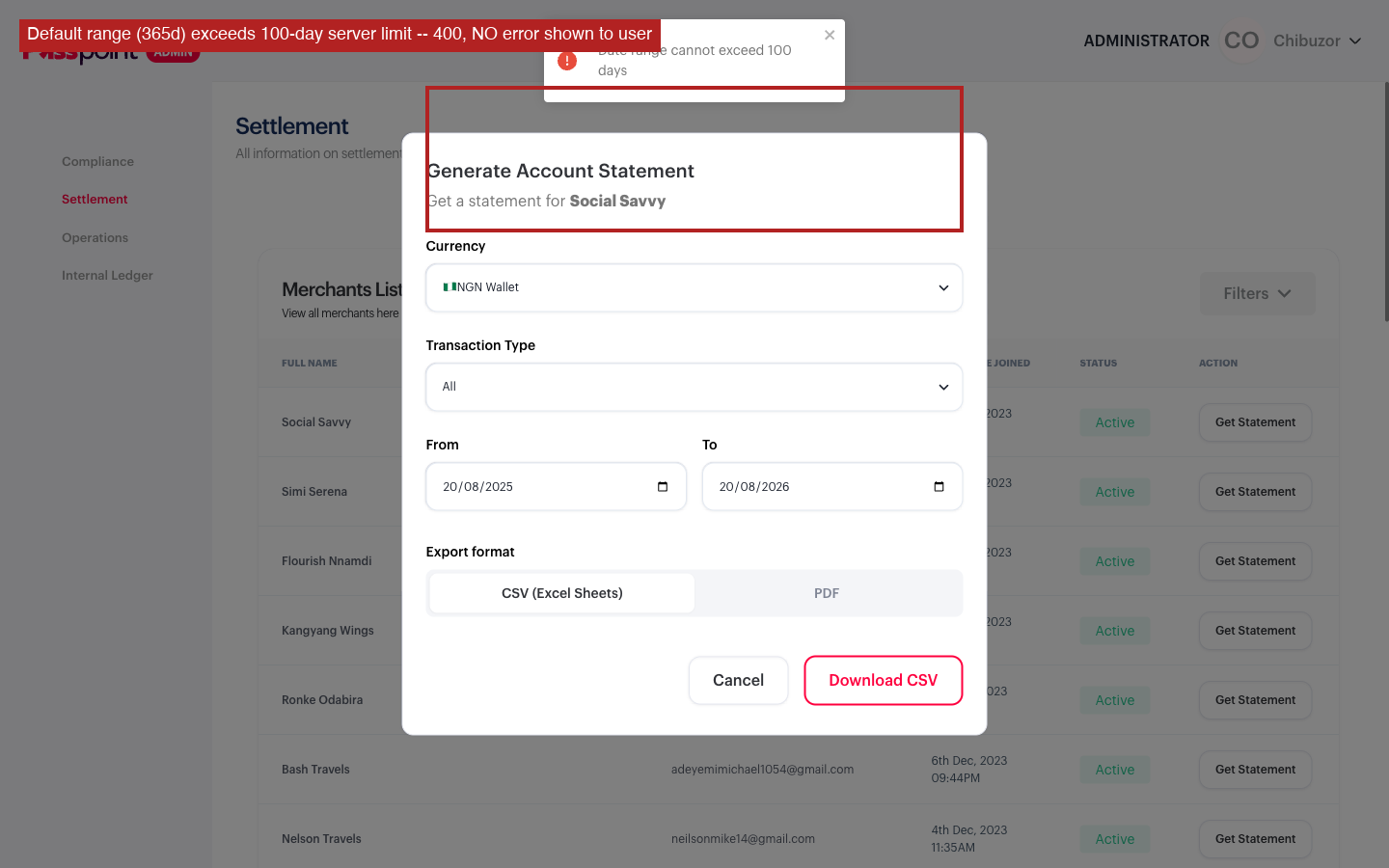
Bug 2: wrong-currency-for-merchant fails silently FAIL (as originally found)
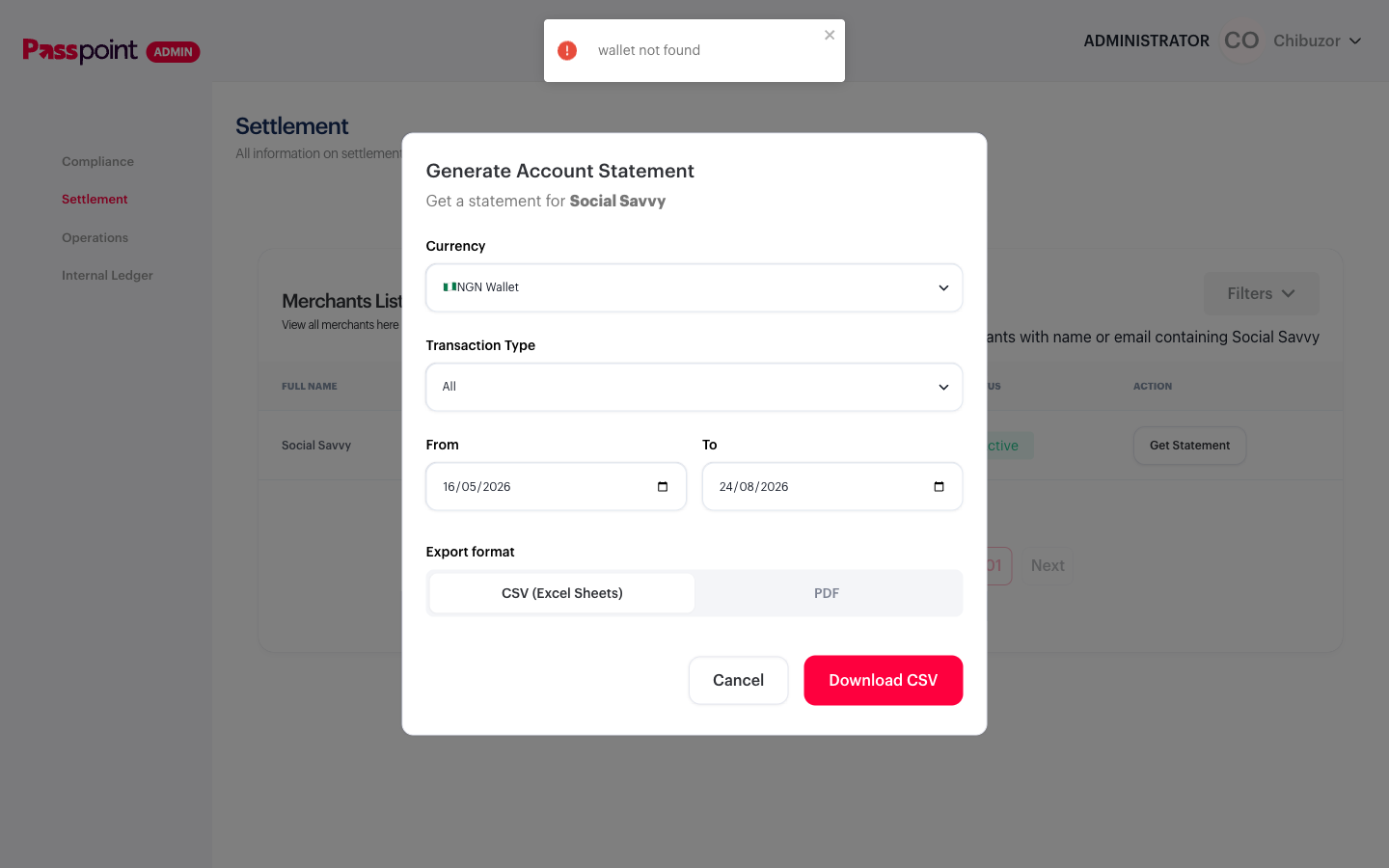
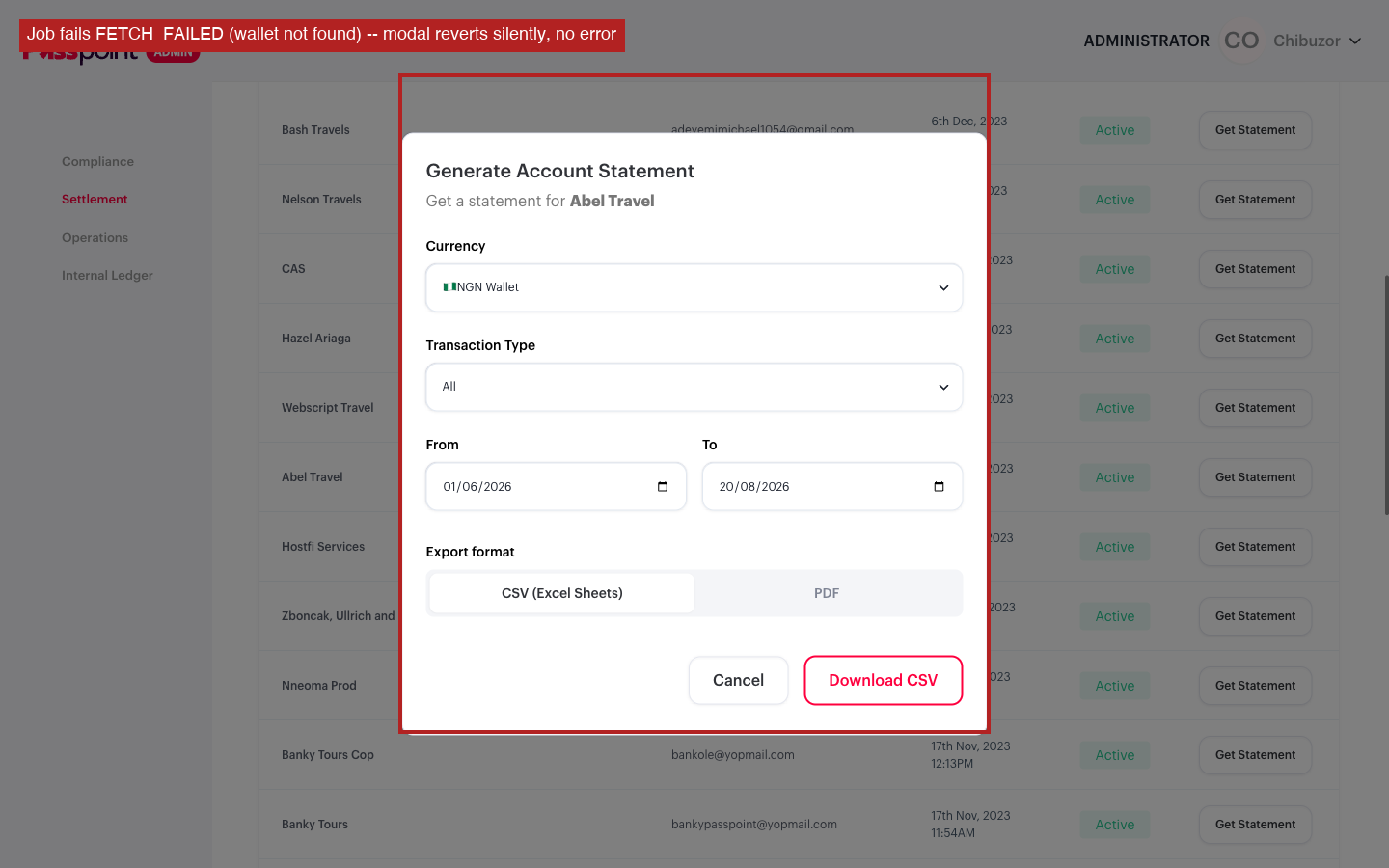
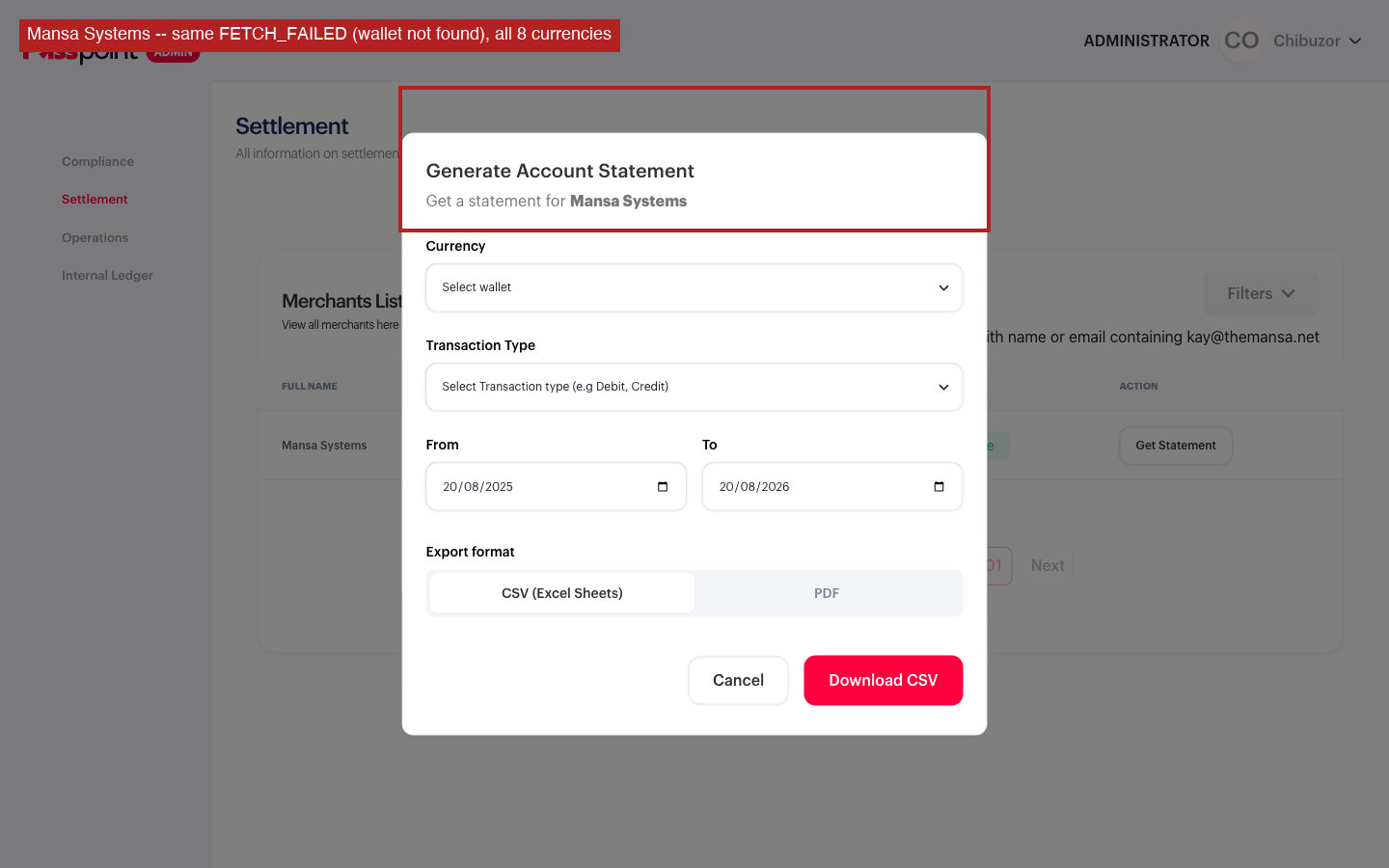
Selecting a currency the merchant has no wallet in resolves to FETCH_FAILED, error: "wallet not found" in ~4s. Confirmed across 3 merchants with no matching wallet — Social Savvy, Abel Travel, and Mansa Systems (8 currencies checked on Mansa Systems alone, all 8 fail). This isn't a systemic outage — the identical flow succeeds cleanly for Payloft's real NGN wallet — but it is a real gap: the empty-data-in-range case (above) correctly shows "No data found for the given filters.", while this FETCH_FAILED case shows nothing at all. Same failure family the ticket calls out ("Empty/failed jobs show a user-facing error"), but only half of it is implemented.
Suggested fix: scope the currency dropdown to only the wallets a merchant actually holds, or surface the same kind of clear message used for the empty-data case when a FETCH_FAILED status comes back.
Retest — 24 Aug 2026, following dev comment
Dev (Josh Anaba): "for bug #1, this has been set to 100 days"; "for bug #2, no way to check if user has a wallet for that currency before statement download, so can only depend on backend feedback."
Bug 1 — default range fixed, manual oversized range still silent PARTIAL FIX
The modal now correctly pre-fills exactly 100 days by default (confirmed on both Payloft and Social Savvy) — the everyday case where a user just takes the default and clicks Download no longer hits the 400 at all.
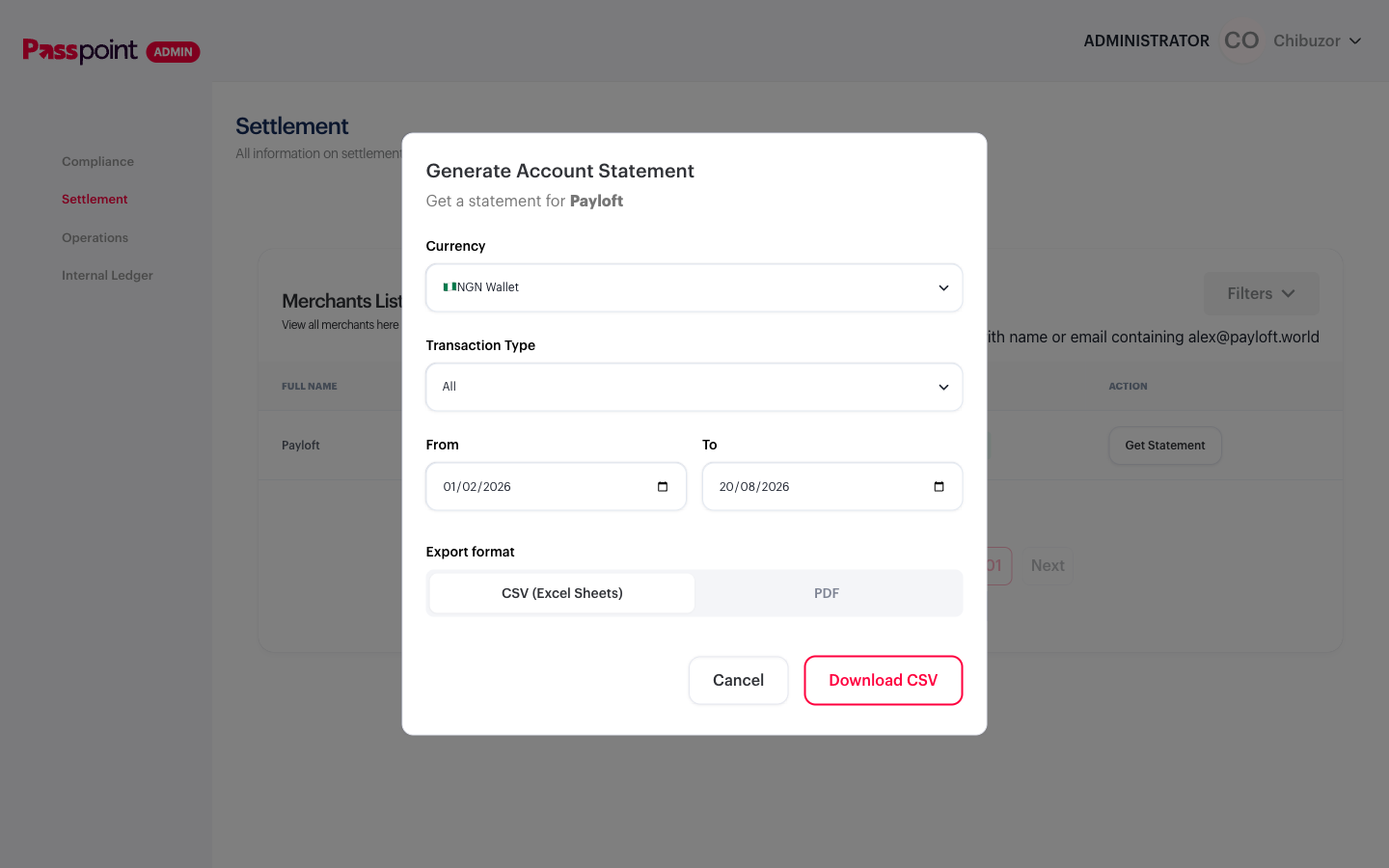
Manually widening the range past 100 days still gets the same clean 400, "Date range cannot exceed 100 days" from the backend, and the UI still doesn't display that message as text — the only visible change is the Download button switching from solid red to a red outline. A real signal, but not something a user could act on without already knowing the limit.
Bug 2 — fixed PASS
Re-tested Social Savvy (no NGN wallet) with the new default 100-day range: the job still resolves FETCH_FAILED, "wallet not found" as before, but now a toast reading "wallet not found" (with an error icon) appears at the top of the screen — the same error-toast pattern already used for the empty-data case. Modal stays usable, form fields keep their values, user can retry with a different currency immediately.